Every resident joining in — and the records write themselves.
A friendly activity kiosk residents use on their own, participation logging that takes your lifestyle team about ten seconds, a family newsletter that half-writes itself, and evidence ready for accreditation conversations — all from one iPad app that works offline.
Pre-launch — App Store submission in progress. Walkthroughs run over video call, about 20 minutes.
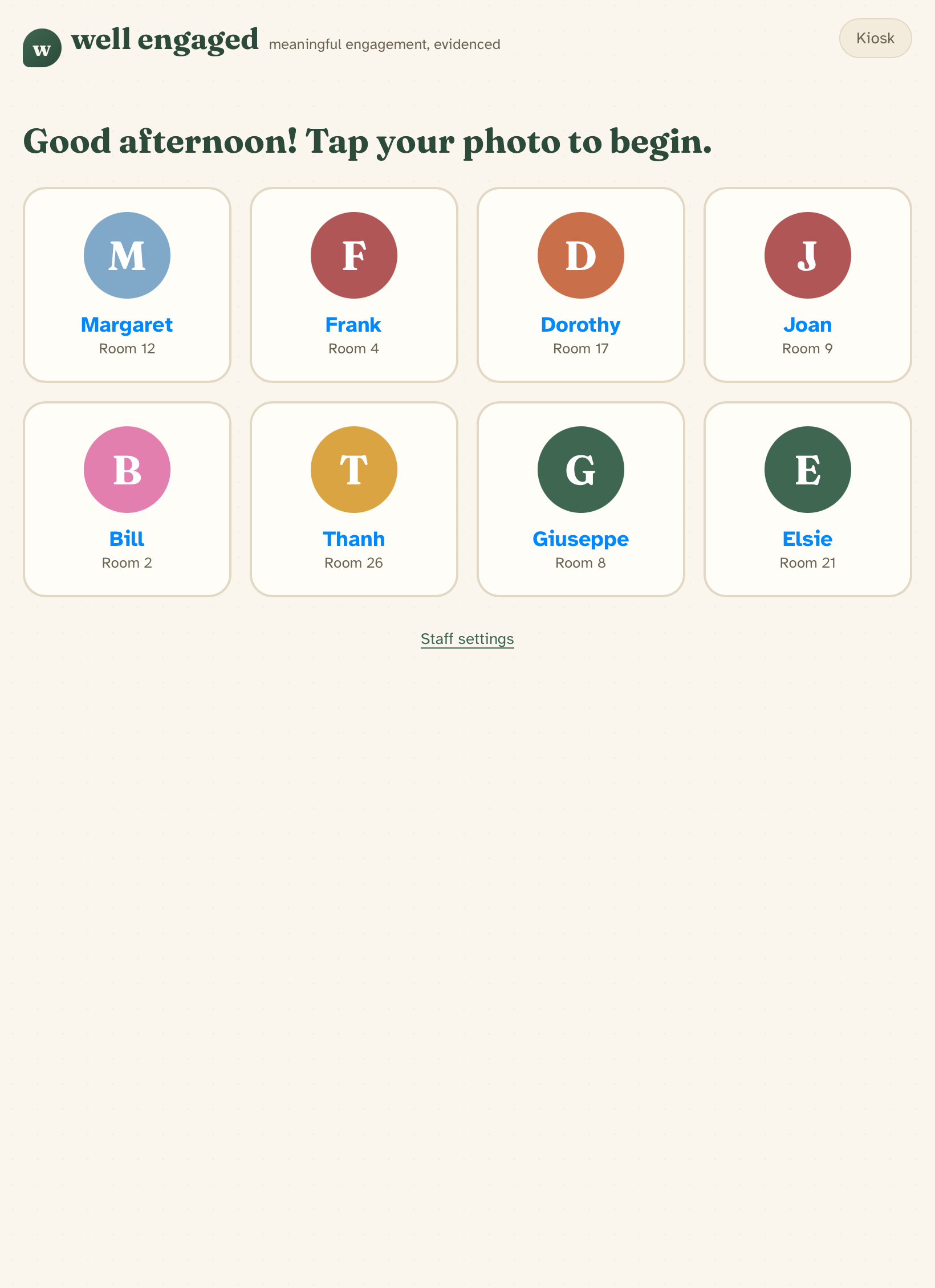
Watch a morning unfold — in a minute and a half
One iPad, a resident tapping their photo, and the records writing themselves — the quickest way to see what Well Engaged does.
Want the full walkthroughs? See the staff & coordinator setup guides →
Your day, minus the paperwork
Log a whole group activity in about ten seconds, get session ideas each morning, and see who needs attention this week — all on the same iPad.
Evidence that's already there
Participation coverage, engagement trends and exportable evidence packs — ready for accreditation conversations, built from everyday records.
A window into the week
A portal with the week's moments and photos, event RSVPs, and a way to share stories that become their loved one's activities.
One shared iPad is all it takes for up to 15 residents
Everything below is the real product, photographed as it runs today — every screen shows synthetic demonstration data.
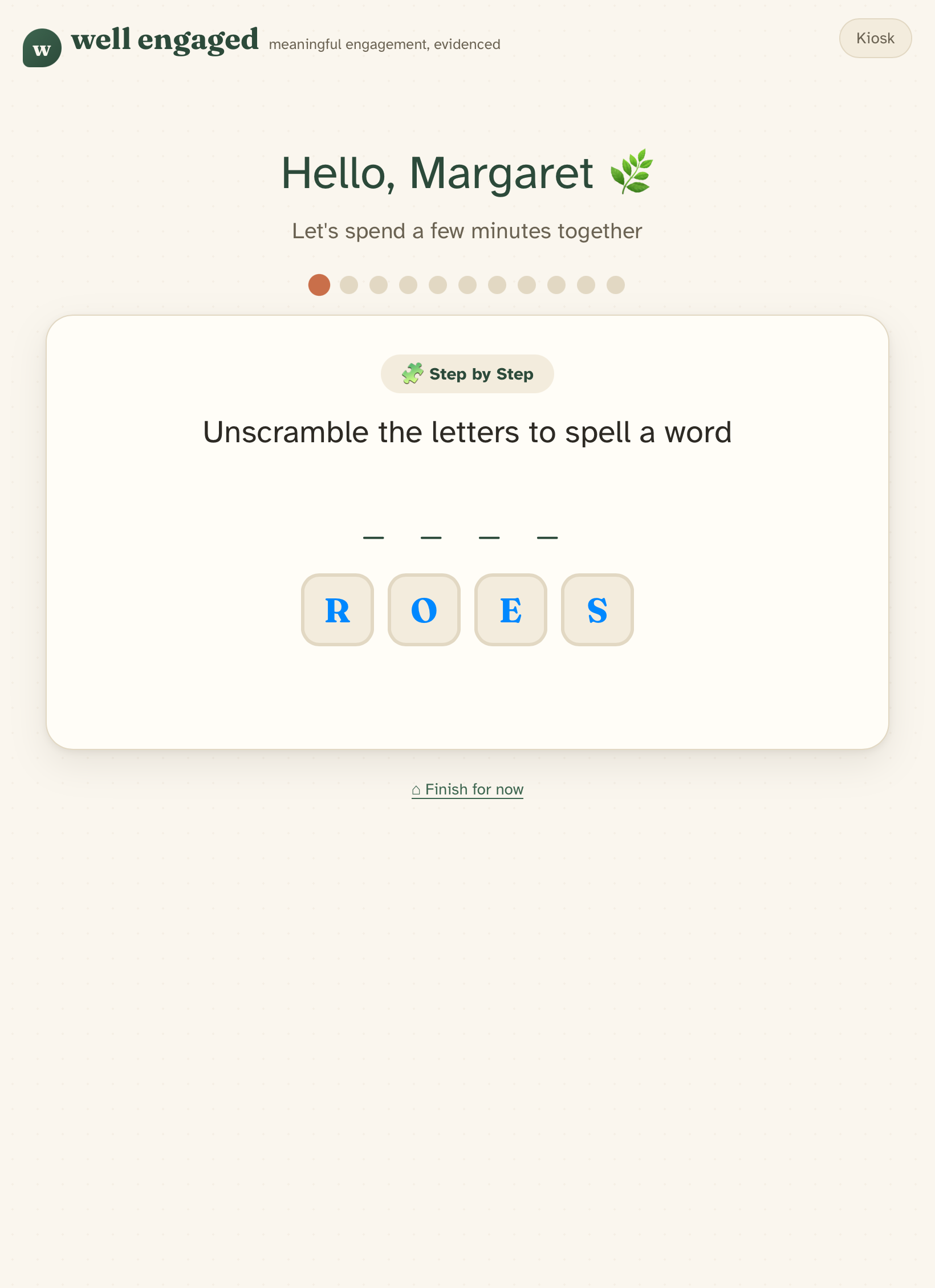
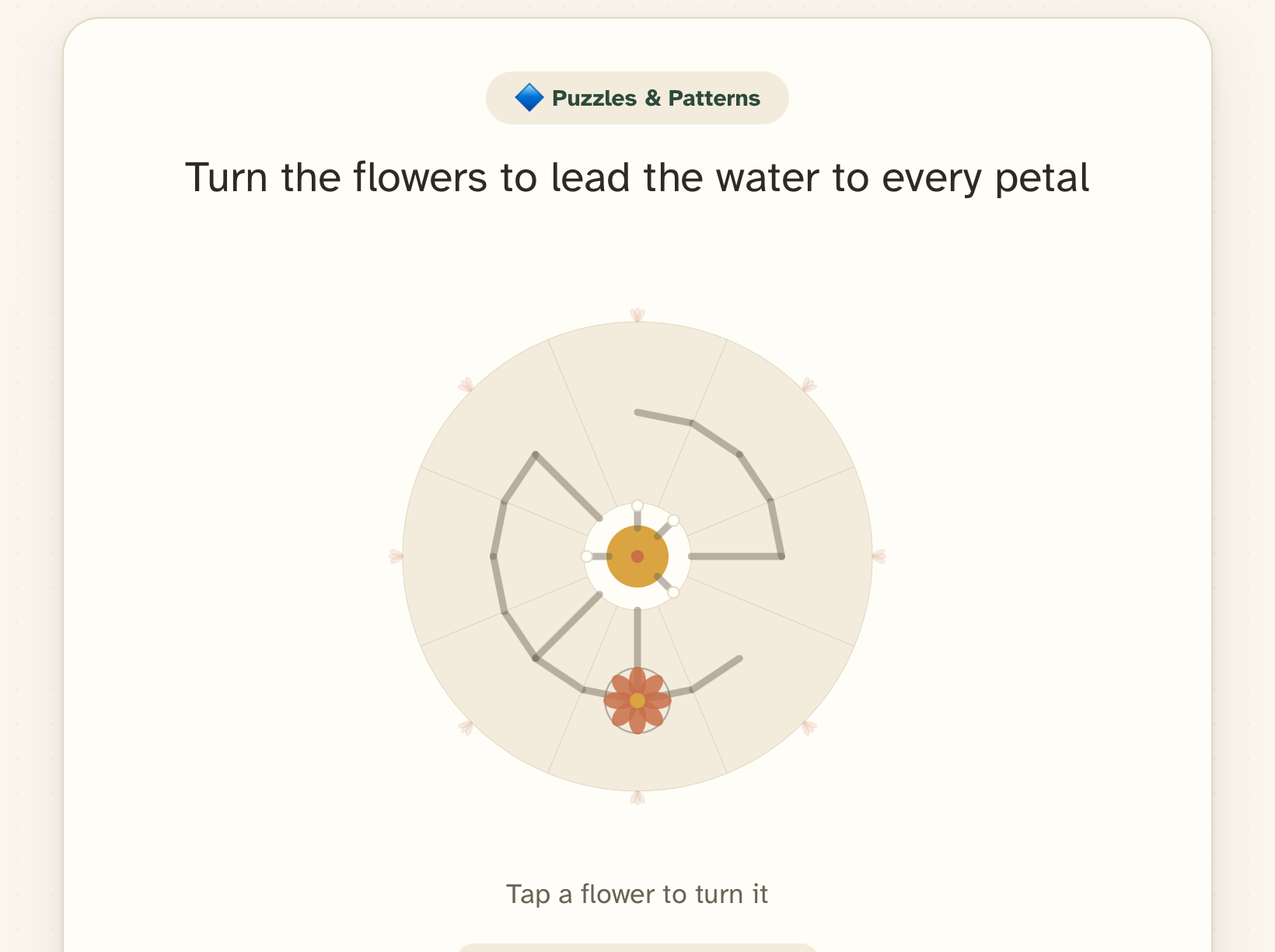
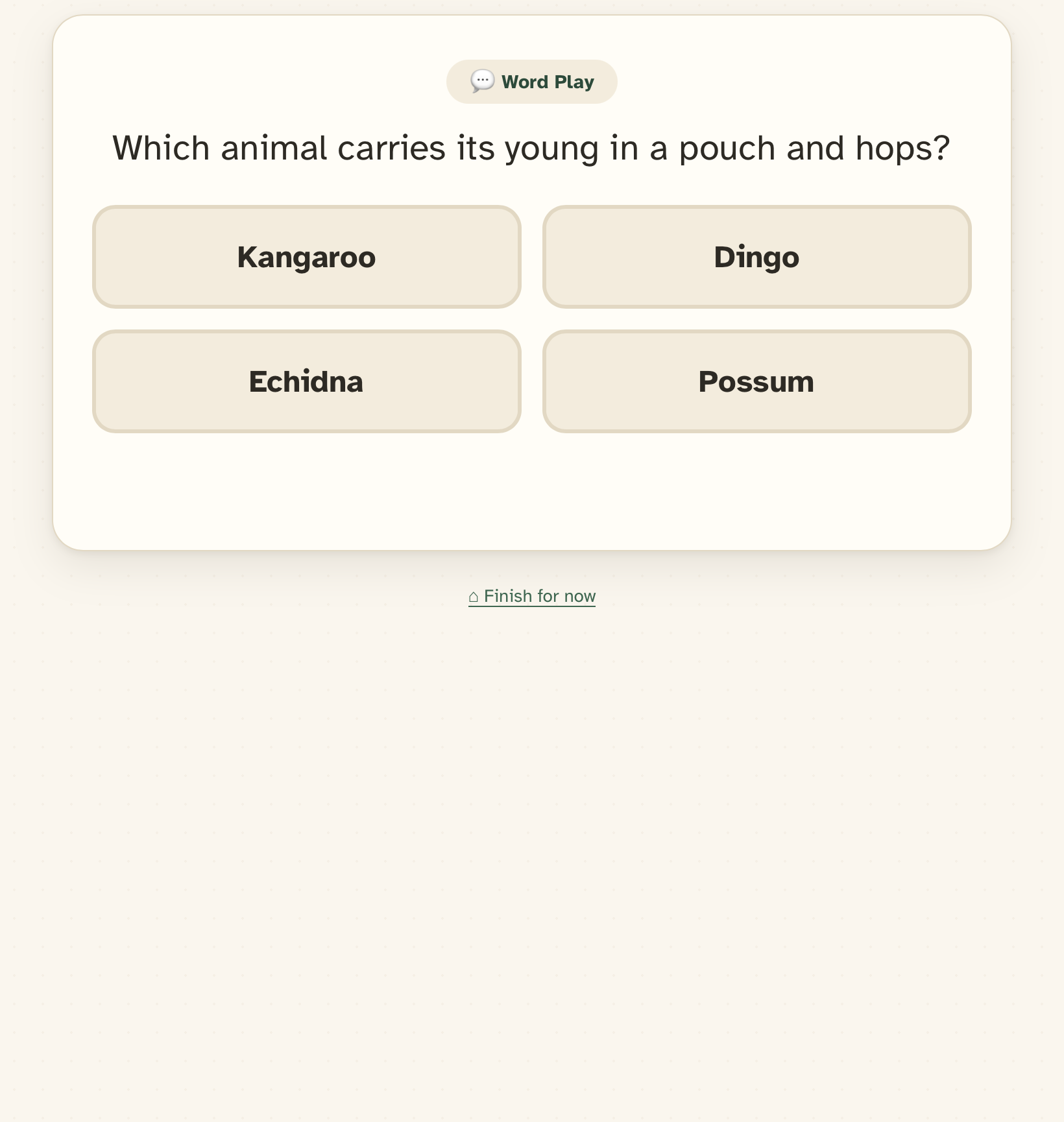
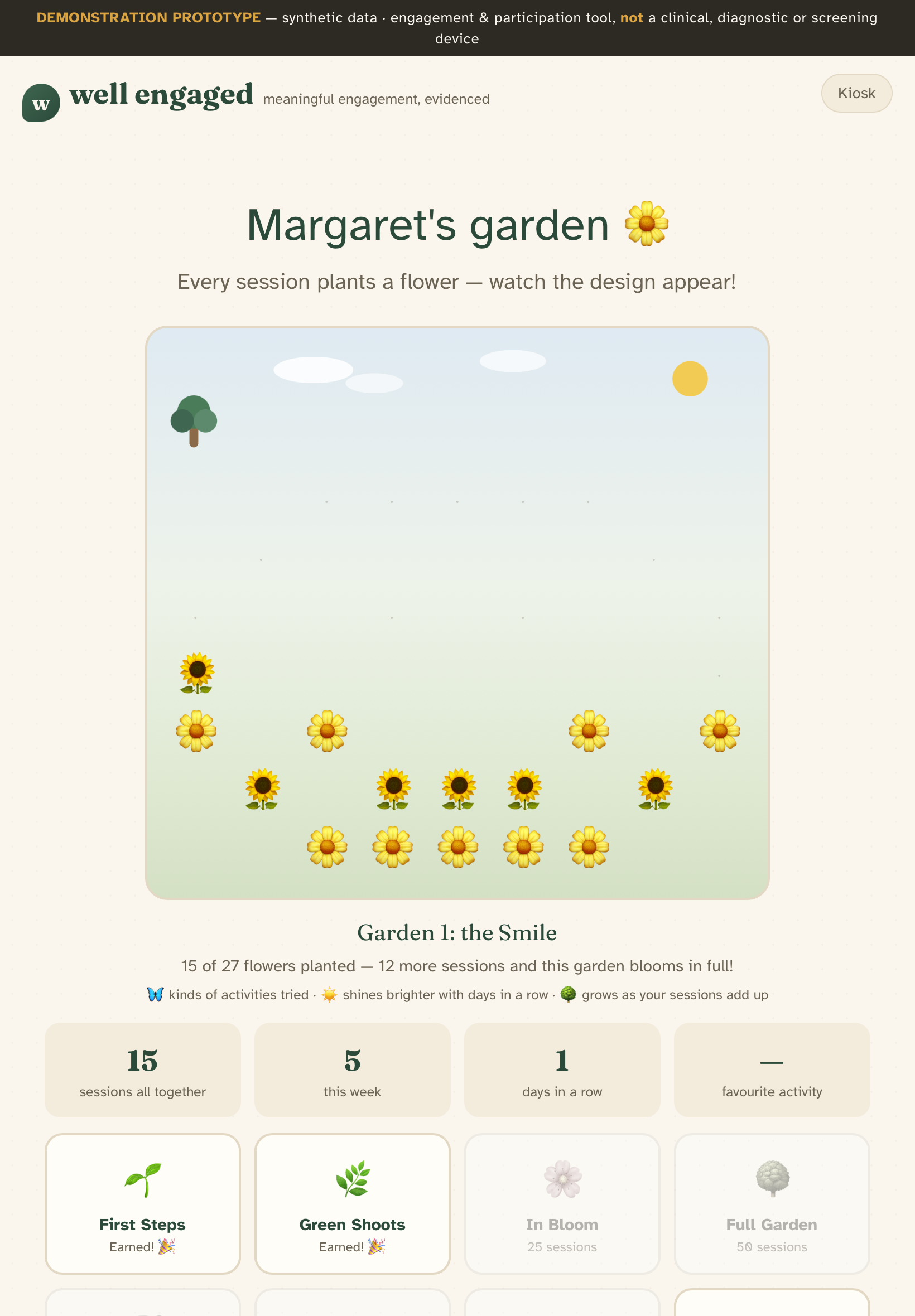
A daily session residents look forward to
Residents tap their own photo — no passwords, no typing — and choose how long to spend: a quick visit, a good session or a big day out, from about ten minutes to half an hour. Quizzes, word games, puzzles and reminiscence adapt to each person's interests, and every session plants a flower in their own garden.
- Residents set the pace — carry on or finish up whenever they like
- Three difficulty levels — standard, challenge and expert
- Large type, generous touch targets, easier-to-read and high-contrast options per resident
- A staff PIN keeps sessions and family photos private to each resident
- Works fully offline — activities keep running through patchy Wi-Fi
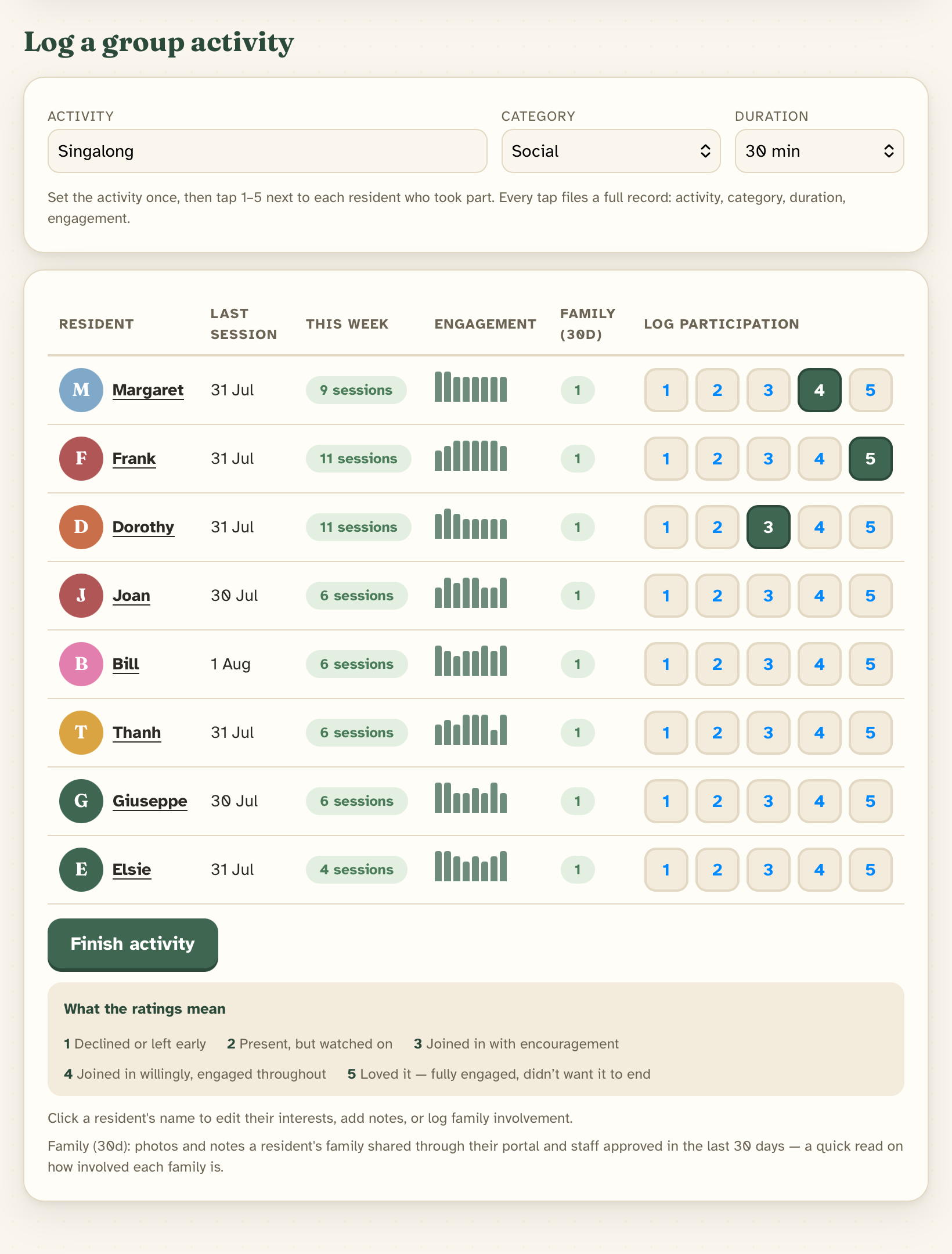
Set the activity once, tap 1–5 per resident — done.
Log a group activity in about ten seconds
Name the activity once — "Singalong", "Planting bulbs" — then tap a 1–5 engagement rating next to each resident who took part. Every tap files a complete record: activity, category, duration and engagement, saved as you go.
- No end-of-shift catch-up, no separate diary
- Each rating has a plain-words meaning the whole team shares
- Those same records feed the newsletter and the quality section automatically
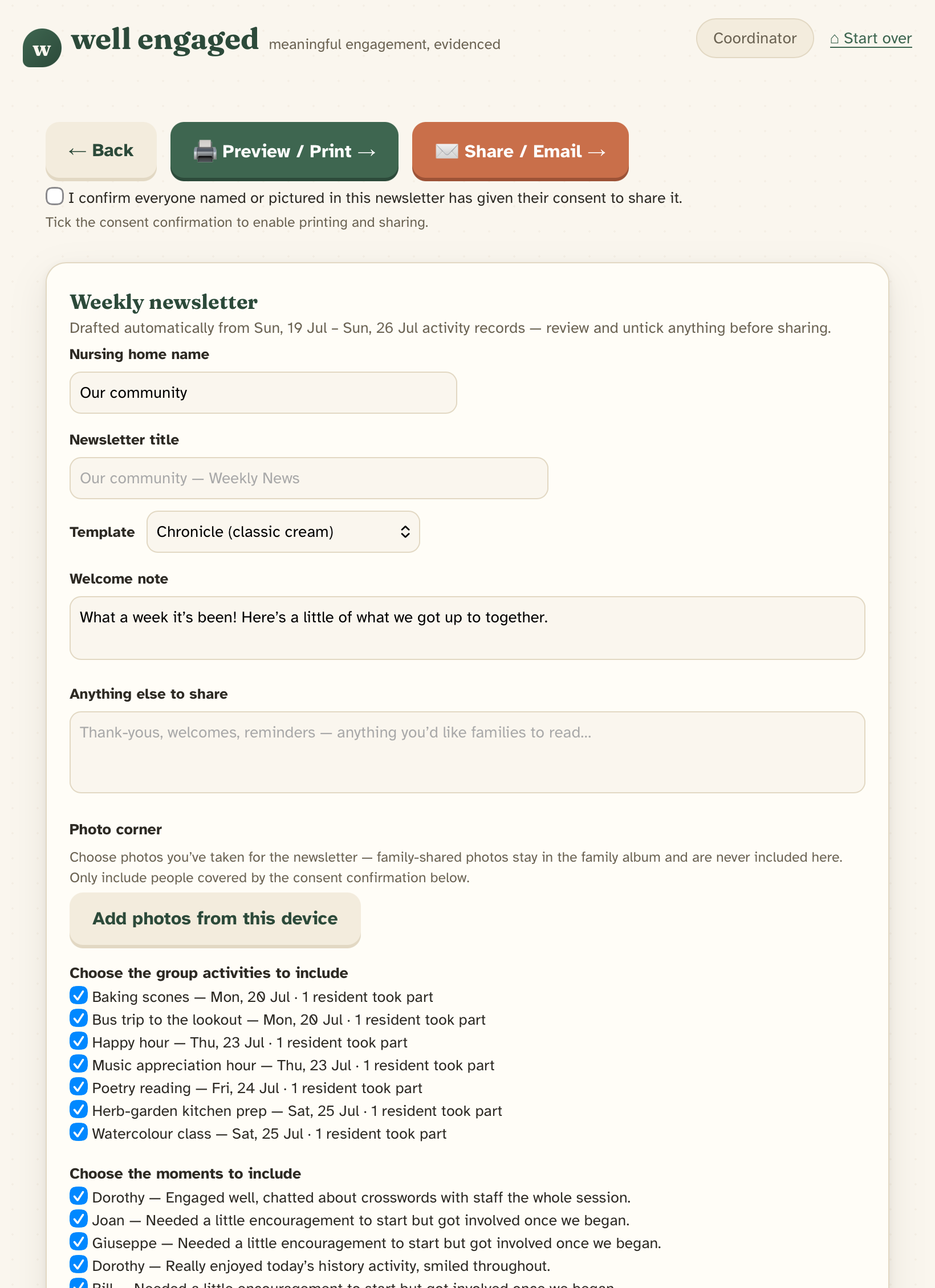
Drafted from the week's records — review, untick, share.
The weekly newsletter half-writes itself
Every quick-log becomes a line in a ready-to-edit draft: the week's activities, the standout moments, and a photo corner. Your coordinator reviews it, unticks anything that shouldn't go out, and shares or prints it.
- Built from real records, so nothing is forgotten
- A consent confirmation gates printing and sharing
- Family-shared photos stay in the family album — never auto-included
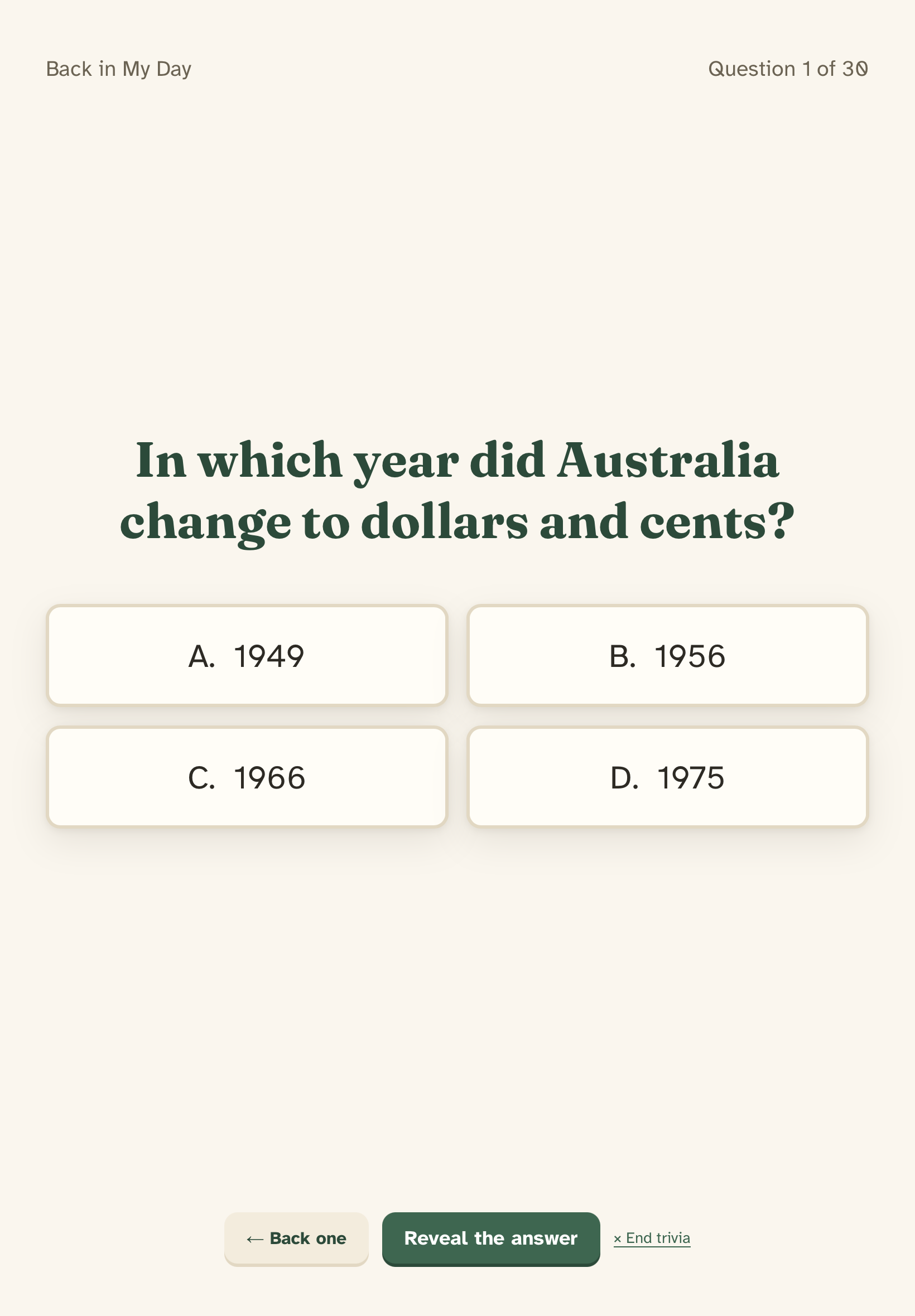
Themed packs in big type, made for the lounge TV.
Trivia on the big screen
Mirror the iPad to the lounge TV and run themed trivia packs — Crooners & Rock'n'Roll, Golden Age of Hollywood, Back in My Day — written for Australian audiences with big, readable type and a reveal-the-answer rhythm that keeps the room together.
- Eight themed packs, around 30 questions each — updates each month automatically
- Runs from the same iPad — no extra hardware beyond the TV
- Log the whole group's participation the moment it ends
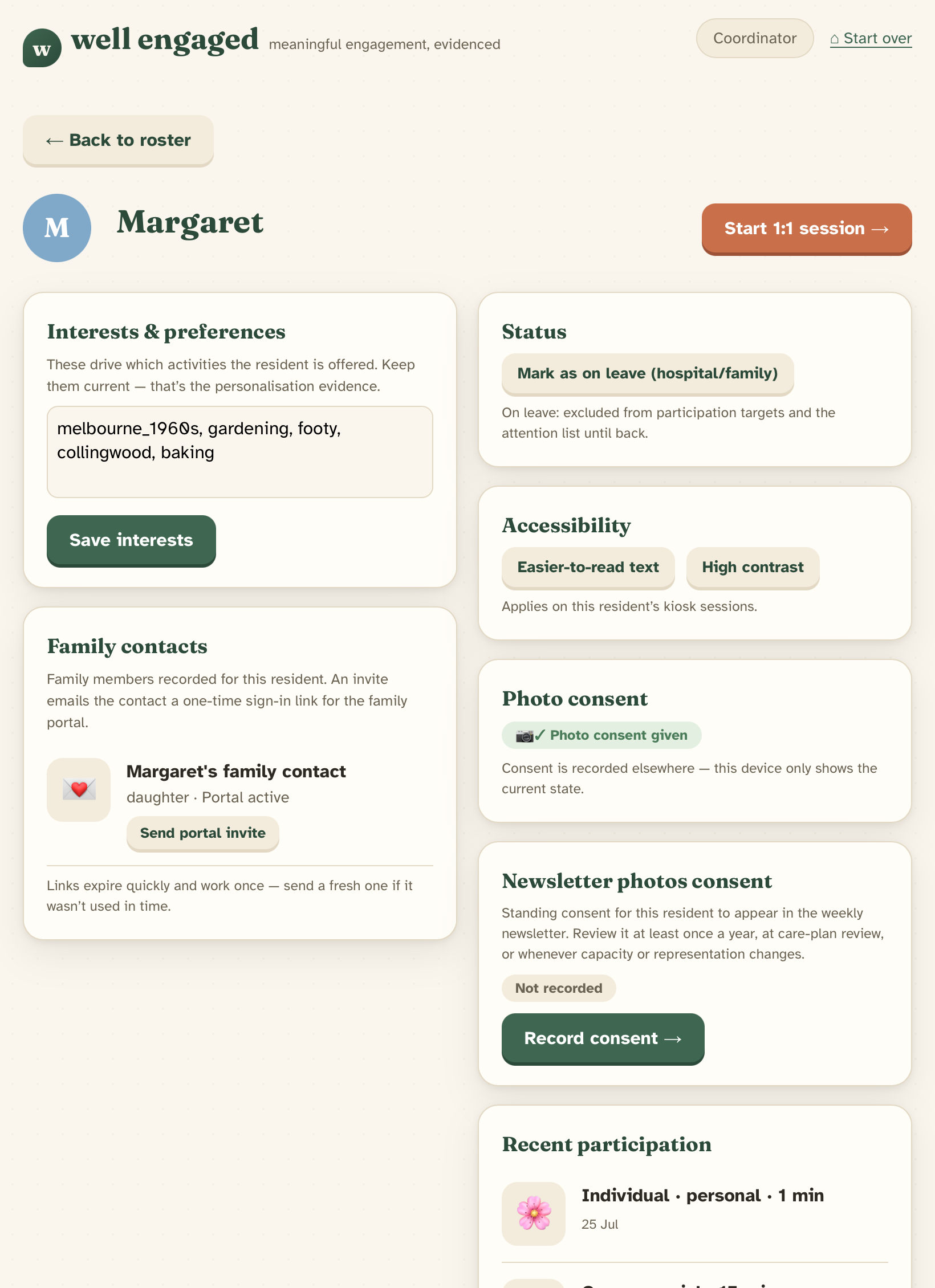
Interests, family contacts and consent, in one place.
Families join in from anywhere
Each family member gets their own sign-in — a one-time email link, no passwords — with access controlled per person by the facility. They see the week's moments, RSVP to events, and share photos and stories that become part of their loved one's own activities.
- Per-member access, granted and revoked by your team
- Photo consent recorded per resident, visible at a glance
- Family contributions flow into reminiscence activities
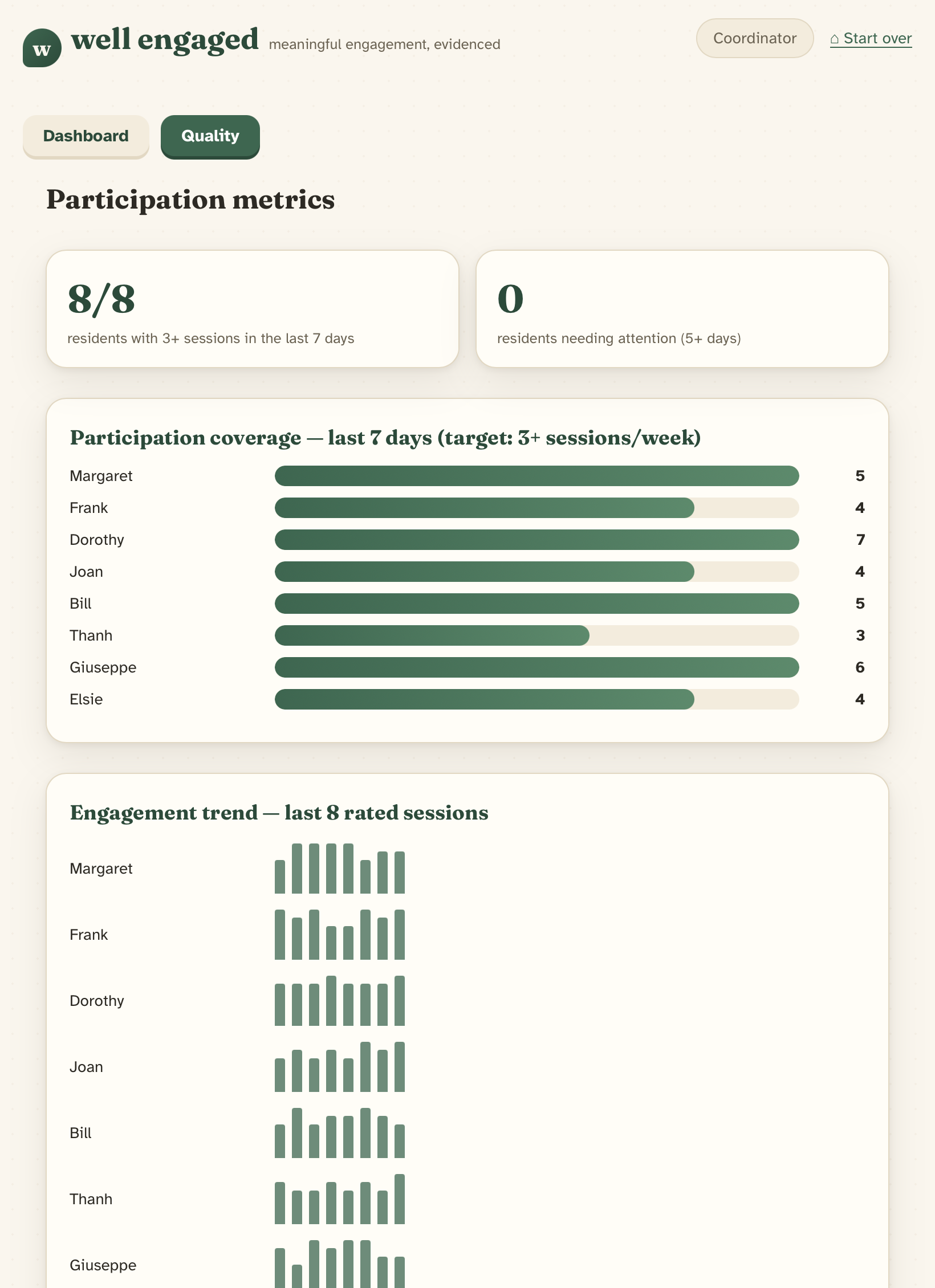
Coverage against your target, per resident, per week.
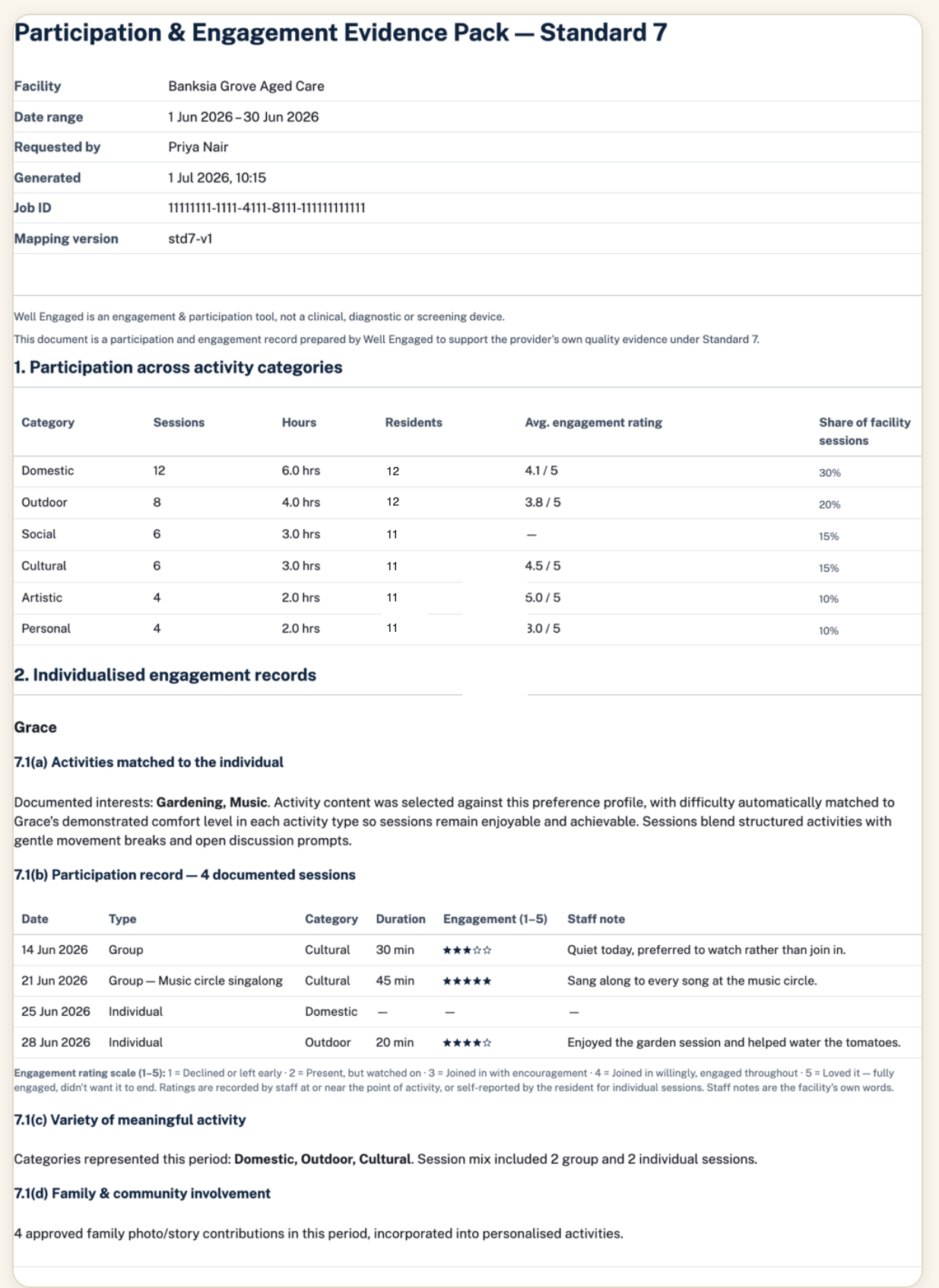
The exportable evidence pack — participation by category, then individualised records per resident.
Participation records, ready for accreditation conversations
Every tap your team makes becomes structured evidence: participation coverage against a 3-sessions-a-week target, engagement trends per resident, and a "needs attention" list that catches quiet weeks early. Export it as an evidence pack when the conversation calls for it.
- Records show what each resident did, when, and how they engaged
- Modest and factual by design — records, not promises about outcomes
- Residents on leave are excluded from targets automatically
Running by morning tea
No integration project, no training days — one iPad and a QR code.
Enrol the lounge iPad
An admin adds a kiosk device from the coordinator dashboard, which shows a one-time QR code. Scan it with the iPad, set a staff PIN, and the kiosk is enrolled.
Residents tap their photo each day
Each resident picks their photo and a session length. Activities adapt to their interests, and their garden grows with every session — no logins, ever.
Records flow through on their own
Quick-logs become the newsletter draft, the quality dashboards and the evidence packs automatically. Everything syncs itself and keeps working offline.
Flat per facility, sized by residents
One subscription covers every resident, staff member, kiosk and family member at the facility. Billed monthly through the Apple App Store, GST inclusive.
Unlimited staff, kiosks and family members.
Unlimited staff, kiosks and family members.
Unlimited staff, kiosks and family members.
Unlimited staff, kiosks and family members.
Figures are indicative while App Store submission is in progress; final prices are set at launch against Apple's AUD price points. Supporting more than 100 residents? Email us and we'll sort out a tier that fits. Full details on the pricing page.
Be one of the first homes
We're pre-launch, so there are no customer quotes yet — and we won't invent any. If you'd like to be one of the first homes here, register your interest.
Questions homes ask us
When can we download Well Engaged?+
Is there a free trial?+
How hard is kiosk setup, really?+
Does the kiosk need reliable Wi-Fi?+
What does the staff PIN protect?+
How do families get access?+
How does billing work?+
If our subscription lapses, do we lose our records?+
More questions answered on the full FAQ page, or email support@wellengaged.com.au.
See it working in 20 minutes.
A walkthrough is a video call with the founders: the kiosk, the quick-log, the newsletter and the quality section, live — and your questions answered. No slides, no obligation.